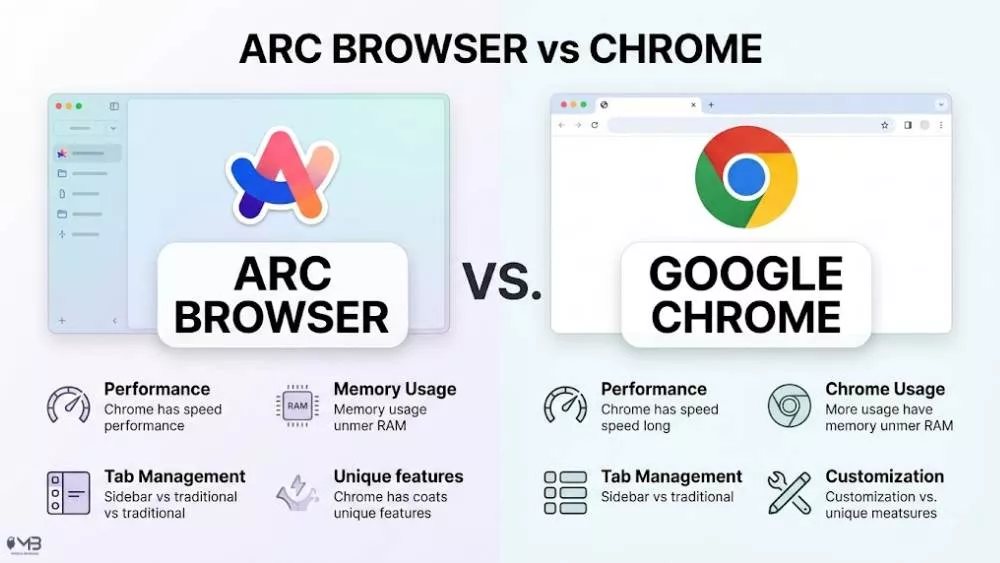
Choosing between Arc Browser and Google Chrome is not just a question of speed anymore. Both browsers are fast. Both are built on Chromium. Both can run most Chrome extensions. The real difference is how they want you to use the web.
Chrome feels like a reliable road. You open it, search, work, shop, stream, and move on. Arc feels more like a digital workspace. It wants your tabs, apps, research, notes, and side projects to live in one calmer layout.
Quick Take
Arc Browser vs Chrome Browser
Arc Browser is better if you live inside your browser all day and want cleaner tab management, Spaces, Split View, keyboard shortcuts, and a more intentional workspace. Chrome is better if you want maximum stability, the best cross-device support, easier mobile syncing, Google ecosystem comfort, and fewer new habits to learn. For writers, researchers, designers, students, and tab-heavy workers, Arc can feel refreshing. For families, office teams, Android users, Chromebook users, and people who just want the web to work without thinking about it, Chrome is still the safer default.
Arc Browser vs Chrome: Main Difference
The simplest difference is this: Chrome is a browser for accessing the web. Arc is a browser for organizing your work on the web.
Chrome keeps the traditional browser shape: address bar at the top, tabs across the top, bookmarks, extensions, profiles, and sync. It is familiar because most people have used it for years. If you are still unsure how Chrome differs from Google itself, our guide on Google vs Google Chrome explains that difference in plain language.
Arc changes the shape of browsing. Tabs move to a vertical sidebar. Work and personal browsing can be separated into Spaces. Temporary tabs can disappear automatically. Split View lets you place pages side by side. Instead of treating every tab like something permanent, Arc pushes you to decide what actually matters.
Arc Browser vs Chrome Comparison Table
| Category | Arc Browser | Google Chrome | Winner |
|---|---|---|---|
| Ease of use | Beautiful, but has a learning curve | Very familiar and simple | Chrome |
| Tab management | Spaces, sidebar tabs, pinned tabs, auto-archive | Traditional tabs and tab groups | Arc |
| Speed | Fast, especially for workspace navigation | Very fast and widely optimized | Draw |
| Memory use | Can feel cleaner because old tabs are archived | Has Memory Saver and Energy Saver settings | Draw |
| Extensions | Supports Chrome Web Store extensions | Native home of Chrome extensions | Chrome |
| Privacy | Less tied to an ad ecosystem | More tied to Google account and ad settings | Arc |
| AI features | Useful Arc Max-style browsing features | Gemini features are improving inside Chrome | Draw |
| Mobile experience | Interesting, but different from desktop Arc | Stronger and more familiar across devices | Chrome |
| Best for | Power users, researchers, writers, designers | Everyday users, Android users, teams, families | Depends |
Which Browser Should You Choose?
Choose Arc Browser if your browser is where your work actually happens. If you spend your day moving between Gmail, Notion, Slack, YouTube, Google Docs, dashboards, research tabs, and project tools, Arc gives that mess a shape. It turns the browser from a pile of open tabs into something closer to a workspace.
Choose Chrome if your browser is something you expect to disappear into the background. Chrome is not exciting, but that is part of the point. It is stable, widely supported, deeply connected to Google services, and available almost everywhere.
My practical tech-geek verdict: Arc is the better browser for people who enjoy building workflows. Chrome is the better browser for people who do not want their browser to become a project.
Design and Daily Feel
Chrome feels like the browser most people already know. You open a new tab, search, click, and continue. The design is clean, predictable, and almost invisible. That is why Chrome is so hard to replace. It does not ask you to rethink anything.
Arc does ask you to rethink things. The first few days can feel strange because your tabs are not where your muscle memory expects them to be. The sidebar becomes your new control center. Pinned tabs feel more like apps. Spaces feel like rooms. The command bar becomes the fastest way to move around.
Once Arc clicks, it can feel difficult to return to a traditional top-tab browser. The difference is not only visual. It changes your browsing habits. Instead of letting tabs pile up forever, Arc nudges you to keep a cleaner workspace.
Tab Management: Arc’s Strongest Advantage
Tab management is where Arc earns its reputation. Chrome has tab groups, pinned tabs, profiles, and recently stronger performance controls. That is enough for many users. But if you regularly keep 30, 50, or 100 tabs open, Chrome can still become a strip of tiny favicons that no longer mean anything.
Arc takes a different approach. Tabs live in the sidebar. Important tabs can be pinned. Temporary tabs can be archived automatically. Spaces let you separate work, personal browsing, side projects, and research without opening a pile of different browser windows.
For example, you might keep one Arc Space for work with Gmail, Slack, Trello, and Google Docs. Another Space could hold YouTube, shopping, travel planning, and social media. A third Space could be for a writing project. Each one feels separate without forcing you to leave the browser.
This is the main reason many people try Arc and stay. It does not just store tabs. It gives them context.
Chrome Tabs Are Better Than Before, But Still Traditional
Chrome is not standing still. Tab groups are useful, especially if you color-code research, shopping, work, or school tabs. Chrome also has performance tools like Memory Saver and Energy Saver, which can reduce the pressure of keeping many tabs open.
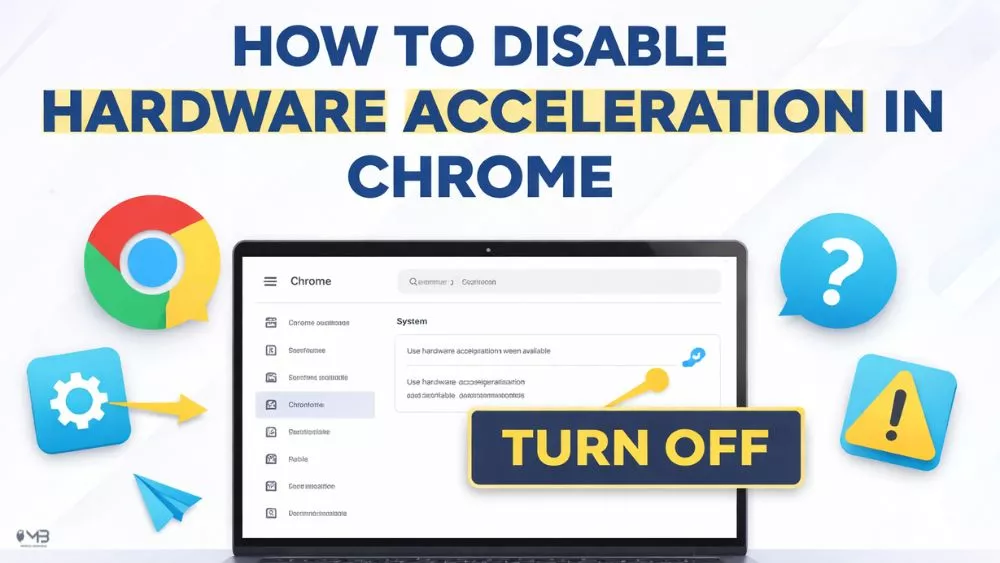
If your main issue is that Chrome feels slow or heavy, check whether performance settings are causing problems before switching browsers completely. Our guide on how to disable hardware acceleration in Chrome may help if videos, scrolling, or graphics feel laggy.
Still, Chrome’s core tab model has not changed much. It manages tabs. Arc tries to redesign the entire relationship you have with them.
Speed and Performance
Both Arc and Chrome are built on Chromium, so normal page loading is not dramatically different for most people. Gmail, YouTube, WordPress, Google Docs, and news sites should feel fast in both.
The difference is more about perceived speed. Chrome may open pages quickly, but Arc can feel faster when you are switching between workspaces, jumping through tabs, opening Split View, or using keyboard commands. That matters for people who browse as part of their job.
Chrome still has the edge in predictability. It is tested across a massive user base, supported by almost every web app, and updated frequently. Google also promotes Chrome’s performance tools, including Memory Saver and Energy Saver, as part of the browser’s current performance setup.
So the fair verdict is this: Chrome wins raw dependability. Arc wins workflow speed.
Extensions: Does Arc Support Chrome Extensions?
Yes. Arc supports Chrome Web Store extensions because it is built on Chromium. That means common tools like password managers, writing assistants, ad blockers, productivity extensions, developer tools, and SEO extensions usually work in Arc.
Chrome still has the advantage here because it is the original home of that ecosystem. If an extension developer tests one browser first, it is usually Chrome. If you rely on a very specific workplace extension, banking extension, or enterprise tool, Chrome is still the safer choice.
For most normal users, though, extension support should not be the reason to avoid Arc. Your favorite Chrome extensions will likely come with you.
Privacy: Arc Feels Cleaner, Chrome Feels More Connected
Privacy is where the comparison becomes more nuanced.
Chrome is part of Google’s larger ecosystem. That can be convenient. Your passwords, bookmarks, tabs, addresses, payment details, and browsing preferences can follow you across devices. But that convenience comes from being signed into a Google-controlled environment.
Arc positions itself differently. The Browser Company says Arc does not know which websites users visit, does not see what users type into the browser, and does not sell user data to third parties.
That does not mean Arc makes you invisible online. Your websites, internet provider, search engine, extensions, and logged-in accounts can still collect data. But as a browser company, Arc is less directly tied to an advertising business than Google is.
So the practical verdict is simple: Arc is better if you want a browser that feels less tied to an ad ecosystem. Chrome is better if you value Google sync and convenience more than separation.
AI Features: Arc Started Strong, Chrome Is Catching Up
Arc helped popularize the idea that AI features should feel native inside the browser, not just appear as a chatbot bolted onto the side. Features like page summaries, cleaner tab names, and smarter browsing tools fit naturally into the way people research and work online.
Chrome is now moving faster in this area too. Gemini in Chrome can help with takeaways, explanations, answers, and browsing assistance in supported contexts. Chrome also supports AI-related features such as page summaries and tab organization in certain setups.
This means Arc no longer gets an automatic win for AI. Arc may still feel more playful and workflow-focused, but Chrome has Google’s AI ecosystem behind it.
If you want experimental browsing ideas, Arc feels more exciting. If you want AI features backed by Google’s broader product ecosystem, Chrome may age better.
Arc’s Biggest Weakness in 2026
Arc’s biggest weakness is not the interface. It is uncertainty.
The Browser Company has shifted much of its energy toward Dia, its newer AI-focused browser. Arc is still useful and still loved by many power users, but it is no longer the same fast-moving challenger it felt like during its early hype cycle.
That does not mean Arc is dead. But it does mean new users should approach it with the right expectations. You are choosing a beautifully designed browser that may already be closer to mature maintenance than explosive growth.
This is important because Chrome’s future is obvious: it will keep being updated, supported, and pushed across Google’s ecosystem. Arc’s future is more interesting, but less certain.
Mobile Experience
Chrome wins mobile for most people.
On Android, Chrome is deeply integrated. On iPhone, Chrome is optional but familiar. Either way, Chrome syncs bookmarks, passwords, history, and tabs across devices when you sign in. It is the boring kind of useful.
Arc’s mobile experience is more experimental. Arc Search feels modern and clever, especially for quick answers and AI-style browsing. But it does not feel like a perfect mirror of desktop Arc. For some users, that is refreshing. For others, it feels disconnected.
If you mostly browse on desktop, Arc is worth trying. If your browsing life moves constantly between Android, iPhone, tablet, Chromebook, and work computer, Chrome is easier to trust.
Arc Browser vs Chrome for Different Users
For Students
Arc is excellent for students who research heavily, keep lecture notes open, use Google Docs, and jump between assignments. Spaces can separate school, personal browsing, and side projects. Chrome is better if the school requires specific tools, managed accounts, or locked-down extensions.
For Writers and Researchers
Arc is the better choice. Split View, pinned tabs, cleaner tab handling, and workspace separation make it easier to compare sources, write notes, and keep a research project from becoming chaos.
For Developers
Chrome is still the safer default because Chrome DevTools and web testing support are industry standards. Arc can work well for browsing and research, but many developers will still want Chrome installed for testing.
For Designers and Creators
Arc feels more natural for visual thinkers. The sidebar, Spaces, and Split View make it easier to keep references, mood boards, documents, and client tools open without drowning in tabs.
For Android Users
Chrome is the better everyday choice. The sync is smoother, the mobile app is familiar, and Android integration is stronger.
For Privacy-Conscious Users
Arc is better than Chrome if the choice is only between these two. But if privacy is the main goal, also compare Firefox, Brave, and other privacy-focused options. Our Firefox vs Chrome comparison is a good next read if you want a less Google-centered browser setup.
For Low-Spec Laptops
Chrome may be more predictable, especially with Memory Saver enabled. Arc can feel clean, but its extra interface features may not be ideal for older machines. If your laptop already struggles with Chrome, test Arc before fully switching.
When Chrome Is Still Better
- You use Android, Chromebook, or Google services all day.
- You want the most familiar browser with the least learning curve.
- You need maximum extension compatibility.
- You work in a company or school that officially supports Chrome.
- You rely on Google Password Manager, Google Translate, Google Lens, or Chrome sync.
- You do not want to rebuild your browsing habits.
Chrome is not exciting, but it is dependable. That matters. A browser is one of those tools people only notice when it breaks.
When Arc Is Better
- You keep too many tabs open and hate the clutter.
- You want work and personal browsing separated without opening many windows.
- You like keyboard shortcuts and command-bar workflows.
- You often compare pages side by side.
- You want a browser that feels calmer and more designed.
- You are comfortable learning a new browsing style.
Arc is especially good for people who want their browser to feel less like a pile and more like a desk.
What About Avocado Browser and Other Chrome Alternatives?
Arc is not the only browser trying to rethink the Chrome formula. If your main frustration is performance, tab overload, or the feeling that Chrome has become too heavy, you may also want to compare newer alternatives like Avocado Browser.
The better question is not “Which browser is objectively best?” It is “Which browser matches the way I actually use the internet?” Chrome, Arc, Firefox, Safari, Brave, Edge, and Avocado all answer that question differently.
Should You Switch from Chrome to Arc?
Switch to Arc if you are curious and slightly frustrated with Chrome. That combination matters. If Chrome feels fine, Arc may feel like unnecessary homework. But if Chrome feels crowded, stale, or mentally noisy, Arc is one of the few browsers that genuinely feels different.
The first three days may feel awkward. You will look for tabs at the top. You may forget where settings live. You may wonder why a browser needs Spaces at all. Then, if it clicks, it clicks hard.
My advice: do not delete Chrome. Install Arc beside it. Import your bookmarks and extensions. Use Arc for work or research for one week. Keep Chrome for banking, forms, school portals, or anything mission-critical. After seven days, you will know whether Arc feels like a gimmick or a genuine upgrade.
How to Move from Chrome to Arc Without Regret
- Install Arc but keep Chrome. Do not make Arc your default browser on day one.
- Import bookmarks and extensions. Start with the tools you actually use, not every old extension you forgot about.
- Create two Spaces. One for work and one for personal browsing is enough at first.
- Pin your daily apps. Gmail, calendar, notes, project tools, and dashboards should be easy to reach.
- Use Arc for one real workflow. Research, writing, schoolwork, or client work is a better test than casual browsing.
- Keep Chrome for backup. Some websites, extensions, or workplace tools may still behave better in Chrome.
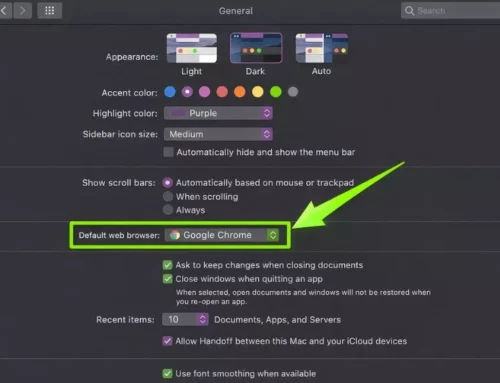
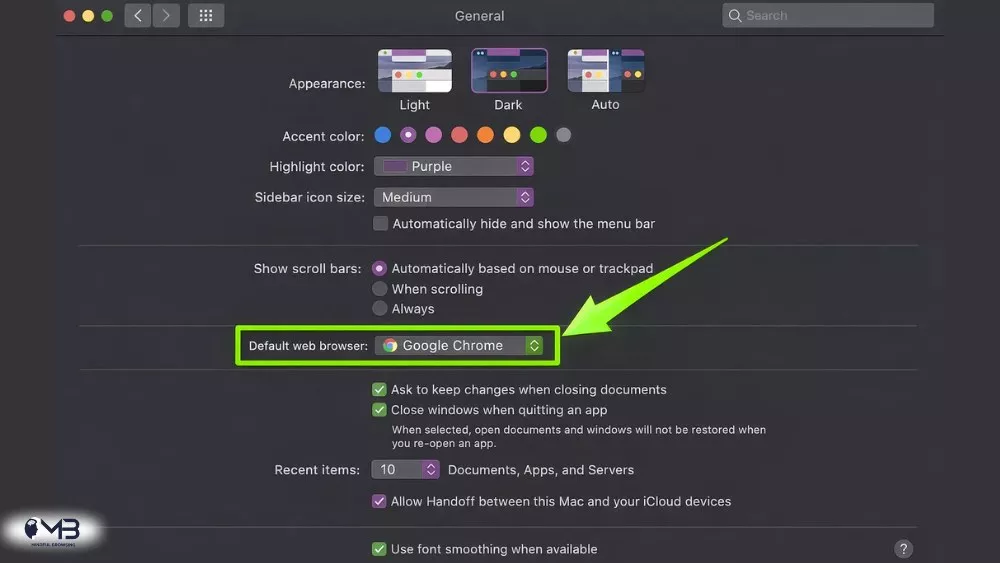
If you are switching browsers on a Mac and want the change to stick system-wide, you may also need to update your default browser setting. Our guide on how to change the default browser on Mac walks through that step.
Final Verdict: Arc Browser vs Chrome
Chrome is still the best browser for most people. It is stable, familiar, fast, widely supported, and deeply connected to the Google ecosystem. If you want a browser that quietly does its job, Chrome remains the easy answer.
Arc is better for people who want a calmer, smarter, more organized way to work on the web. It is not just a Chrome replacement with a prettier coat of paint. It asks you to browse differently. For the right person, that can be a major upgrade.
So the final answer is simple:
- Use Chrome if you want reliability, sync, simplicity, and universal support.
- Use Arc if you want better tab management, workspace organization, Split View, and a browser that feels built for deep work.
For mindful browsing, Arc has the more thoughtful design. For everyday browsing, Chrome is still the safer default.
————————–
The browser wars aren’t what they used to be. For over a decade, Google Chrome has sat comfortably on the throne, claiming over 68% of the global market share. It’s the “default” for a reason: it’s fast, it’s familiar, and it syncs with every Google service we use to run our lives. Longtime alternatives like Firefox, Avacado and Safari have carved out loyal audiences — Firefox among privacy advocates, Safari among Apple devotees — but neither has seriously threatened Chrome’s dominance.
But recently, a new challenger called Arc—built by The Browser Company—has sparked a level of excitement usually reserved for a new iPhone launch. While Chrome is a window into the internet, Arc wants to be an operating system for it.
If you’re tired of having fifty tabs open like a frantic digital filing cabinet, here is the breakdown of how these two stack up.
The Philosophy: Utility vs. Experience
Chrome is built on the philosophy of utility. It wants to get out of your way. When you open Chrome, you see a search bar and your bookmarks. It is a tool designed to take you to a website as quickly as possible.
Arc, conversely, is built on experience. It assumes you spend eight hours a day in a browser and asks, “How can we make this feel less like a mess?” Arc doesn’t just want to “load” websites; it wants to organize your digital life. It uses a vertical sidebar instead of top tabs, doing away with the horizontal clutter that makes tab titles unreadable once you have more than 10 tabs open.
Organization: Tabs vs. Spaces
The biggest “aha!” moment for new Arc users is Spaces. In Chrome, if you want to separate work from personal browsing, you usually have to open a completely different profile window. In Arc, you just swipe.
You can have a “Work” space with your Slack, Jira, and Gmail pinned, and a “Personal” space for YouTube, Facebook, Bereal and Reddit. Because Arc uses Profiles, you can even stay logged into your work Gmail in one space and your personal Gmail in another within the same window.
Chrome’s answer to this is Tab Groups. While functional, they still live in that cramped top bar. If you’re a “tab hoarder,” Chrome eventually becomes a row of tiny icons you can’t identify. Arc solves this by automatically “cleaning up” (archiving) unpinned tabs after 12 or 24 hours, forcing you to maintain a tidy workspace.
Speed and Performance
Both browsers are built on Chromium, the same open-source engine. This means two things:
- They are both incredibly fast.
- Every extension you use in Chrome works perfectly in Arc.
However, Chrome has historically been a “memory hog.” Google has made strides with “Memory Saver” modes recently, but Arc feels snappier in a different way, not necessarily in page load times, but in navigation.
Arc’s “Command Bar” (Cmd+T) is like Spotlight for the web. You don’t just type URLs; you can search through your open tabs, switch spaces, or even trigger actions like “New Notion Page” without touching your mouse. For power users, this keyboard-centric workflow makes Chrome feel sluggish by comparison.
Features You Didn’t Know You Needed
Arc is packed with “quality of life” features that Chrome simply doesn’t have.
- Split View: You can view up to four tabs side-by-side in one window. This is a game-changer for cross-referencing data or watching a video while taking notes.
- Boosts: You can “remix” the internet. If you hate the color of a certain website or want to hide the “Suggested” sidebar on YouTube, you can use Boosts to zap those elements away permanently.
- Peek: When you click a link in Slack or an email, Arc opens a small preview window instead of a full new tab. If you don’t need it, you just click away. It keeps your tab count from exploding.
Chrome’s strength is its simplicity. It doesn’t have these bells and whistles because most people don’t want them. Chrome is the “Toyota Corolla” of browsers—it starts every time, everyone knows how to drive it, and parts (extensions/support) are everywhere.
Mobile Experience
This is where Chrome still wins for the average user. Chrome’s mobile app is a seamless extension of the desktop. It’s simple and reliable. Chrome also integrates with Chromecast for streaming to your TV, though if you run into issues, troubleshooting a Chromecast that isn’t working is usually straightforward with the right steps.
Arc’s mobile offering (Arc Search) is experimental. It uses AI to “Browse for Me,” reading multiple websites and summarizing the answer to your query in a beautiful custom page. It’s futuristic and impressive, but it’s a very different experience than the desktop version, which can feel disjointed for people who want 1:1 syncing.
Privacy and Data
It’s no secret that Google is an advertising company. Chrome is a gateway for Google to collect data to improve its ad targeting. While Chrome has “Privacy Sandbox” initiatives, your data is the product.
The Browser Company (Arc) claims a different path. They don’t sell your data to third parties and they don’t track which sites you visit. Currently, Arc is free, which always begs the question: “How do they make money?” Their plan involves enterprise-level features for teams, but for now, it is a venture-backed play for market share.
Which one should you use?
Stick with Chrome if:
- You want a “set it and forget it” experience.
- You have a low-spec computer and want the most stable, lag-free, and widely supported browser.
- You are deeply embedded in the Google ecosystem and want zero friction.
Switch to Arc if:
- You feel “tab anxiety” and need better organization.
- You are a professional (designer, coder, writer) who lives in a browser all day.
- You enjoy discovering new ways to interact with the web and love a “minimalist” aesthetic.
Final Thought
Chrome is a tool for searching the web. Arc is a tool for inhabiting the web.
Changing your browser feels like moving into a new house. The first three days in Arc are confusing; you’ll keep looking for your tabs at the top. But once the muscle memory kicks in, going back to Chrome feels like using a flip phone after trying a smartphone.
About the Author: Shanzaib Haider