Firefox vs Chrome is no longer a simple fight about which browser opens pages faster. In 2026, both browsers are fast enough for everyday use. The real question is different now: do you want the browser that fits neatly into Google’s world, or the browser that gives you more distance from it?
Chrome is the comfortable default. It is fast, familiar, polished, and deeply connected to Google Search, Gmail, Docs, YouTube, Android, Translate, Lens, Password Manager, and Gemini. Firefox is the independent alternative. It is more private by default, more customizable, friendlier to serious ad blocking, and still one of the few major browsers not built on Chromium.
Quick Take: Firefox vs Chrome
Chrome is better for most everyday users because it offers stronger Google integration, excellent website compatibility, a huge extension ecosystem, smooth sync, and built-in AI features through Gemini in Chrome. Firefox is better if privacy, customization, independent browsing, and full-power ad blocking matter more to you. Choose Chrome if you want the safest default. Choose Firefox if you want more control over how the web follows you, stores your data, and shapes your browsing experience.
Firefox vs Chrome: Main Difference
The main difference between Firefox and Chrome is control. Chrome is built around speed, convenience, Google services, and broad compatibility. Firefox is built around user choice, privacy protections, customization, and independence from the Chromium ecosystem.
Chrome works beautifully if your digital life already runs through Google. Gmail, Google Docs, YouTube, Google Meet, Google Password Manager, Google Translate, Google Lens, and Android sync all feel natural inside Chrome. If you still confuse Google Search with Google Chrome, our guide on Google vs Google Chrome explains that difference clearly.
Firefox feels different. It does not try as hard to pull you into one company’s ecosystem. It gives you stronger privacy defaults, deeper interface customization, and useful tools like containers, reader mode, picture-in-picture video, and more flexible browser behavior.
Firefox vs Chrome Comparison Table
| Category | Firefox | Chrome | Winner |
|---|---|---|---|
| Best overall for most users | Great, but less universal | Fast, familiar, and widely supported | Chrome |
| Privacy | Stronger default tracking protection | More tied to Google account and ad ecosystem | Firefox |
| Speed | Fast for normal browsing | Excellent performance, especially in Google apps | Chrome |
| RAM and tab management | Often feels lighter with many tabs | Has Memory Saver and Energy Saver tools | Draw |
| Extensions | Strong add-on library | Largest extension ecosystem | Chrome |
| Ad blocking | Better for full-power blockers like uBlock Origin | More limited after Manifest V3 changes | Firefox |
| AI features | More cautious and privacy-controlled | Gemini is becoming part of Chrome | Chrome |
| Customization | Much more flexible | Cleaner but more limited | Firefox |
| Mobile experience | Good, especially for privacy users | Stronger on Android and Google sync | Chrome |
Which Browser Should You Choose?
Choose Chrome if you want the browser that simply works everywhere. It is the better choice for Android users, Google Workspace users, students using school-managed accounts, Office Teams, Chromebook owners, and people who rely heavily on Chrome extensions.
Choose Firefox if you want your browser to feel more like your own space. It is the better choice for privacy-conscious users, heavy ad-blocker users, open-web supporters, Linux users, customization fans, and people who do not want every part of their browsing life tied to Google.
My practical tech verdict: Chrome is the better default browser. Firefox is the better intentional browser. Chrome is what you install when you want no friction. Firefox is what you choose when you care about the shape, privacy, and independence of your browsing.
Speed and Performance
Chrome has a reputation for speed, and that reputation is mostly earned. It is especially smooth inside Google-heavy workflows like Docs, Sheets, Gmail, Meet, YouTube, and Search. Chrome’s V8 JavaScript engine is one reason many complex web apps feel extremely responsive in Chrome.
Firefox is not slow. That old idea belongs to a much older browser era. For normal browsing, reading, watching videos, shopping, banking, and working across tabs, Firefox feels quick and stable. The difference is rarely dramatic unless you are testing benchmarks or using very heavy web apps.
Where Chrome often wins is raw compatibility and polish. Where Firefox can feel better is long-session browsing, especially if you keep many tabs open and do not want your browser to feel like it is slowly taking over your laptop.
If Chrome feels slow, do not switch immediately. First, refresh your browser if it remains slow, then check Chrome’s performance settings, extensions, and graphics behavior. Our guide on disabling hardware acceleration in Chrome may help if videos, scrolling, or browser graphics feel unstable.
RAM Usage and Battery Life
Chrome used to be the easy target whenever people complained about RAM. That criticism is still partly fair, but Chrome has improved. Memory Saver can make inactive tabs sleep, and Energy Saver can reduce background pressure when your battery is low.
Firefox can still feel calmer on machines with limited memory, especially if you keep many tabs open for research, reading, or work. It is not magic, and performance depends on your extensions, websites, and device, but Firefox often feels less aggressive than Chrome during long browsing sessions.
The honest answer is this: Chrome is better optimized for the Google ecosystem. Firefox often feels better for people who keep many mixed tabs open for hours.
Privacy: Firefox Has the Cleaner Story
Privacy is Firefox’s strongest argument.
Firefox includes Enhanced Tracking Protection and Total Cookie Protection. In simple terms, Firefox tries to stop trackers from following you across websites and keeps site cookies more separated. That makes it harder for advertising and analytics systems to build one connected profile of your browsing across the web.
Chrome also has privacy controls, security checks, Safe Browsing, ad privacy settings, and account-level controls. But Chrome belongs to Google, and Google’s business is still deeply connected to ads, search behavior, measurement, and personalized services. That does not mean Chrome is unsafe. It means Chrome is built inside an ecosystem where convenience and data are closely connected.
So the practical privacy verdict is simple: Firefox gives you stronger separation by default. Chrome gives you stronger Google convenience.
Security: Chrome Is Hard to Beat
Security is not the same thing as privacy. Firefox has strong security, regular updates, phishing protection, malware protection, and privacy-focused browsing tools. It is a safe modern browser.
Chrome, however, has a massive security machine behind it. Google updates Chrome frequently, pays serious attention to web threats, and has huge visibility into malicious sites, compromised passwords, scam pages, and browser-level attacks. Chrome’s Safe Browsing and account security tools are major advantages for everyday users.
If privacy is your top concern, Firefox is stronger. If security at scale is your top concern, Chrome is extremely difficult to beat.
Extensions and Add-ons
Chrome has the biggest extension ecosystem. If you need a specific SEO extension, work extension, school extension, password manager, shopping tool, developer tool, or productivity plugin, Chrome is usually the first to support it.
Firefox also has a strong add-on library, and most common tools are available. Password managers, privacy tools, screenshot tools, writing aids, and developer extensions are easy to find. But if you use niche extensions, enterprise tools, or workplace-required plugins, Chrome is the safer bet.
The important exception is ad blocking. Firefox is currently the better home for people who care about strong content blocking, especially because Chrome’s Manifest V3 transition changed what some blockers can do.
Ad Blocking and Manifest V3
This is one of the biggest practical reasons to choose Firefox.
Chrome’s move to Manifest V3 changed how extensions work. Google argues that Manifest V3 improves privacy, security, and performance, but many users noticed the impact most clearly through ad blockers. The original uBlock Origin is no longer the same option in Chrome, and many users have been pushed toward uBlock Origin Lite or other Manifest V3-compatible blockers.
Firefox still gives serious ad-blocking users more flexibility. If your idea of a peaceful web includes stronger tracker blocking, fewer ads, fewer pop-ups, and less page noise, Firefox is currently the stronger choice.
This fits Mindful Browsing’s broader philosophy, too. A calmer web is not only about meditation apps or screen-time limits. Sometimes, it starts with choosing a browser that makes the internet feel less loud.
AI Features: Chrome Is Moving Faster
Chrome is becoming more of an AI browser. Gemini in Chrome can help with page understanding, tab context, answers, summaries, and Google-connected browsing assistance in supported regions and accounts.
Firefox is approaching AI more cautiously. That may actually appeal to privacy-minded users. Mozilla has been working on ways to make AI features easier to control, including clearer settings and options to turn features off. Firefox’s pitch is not “AI everywhere.” It is closer to “AI, only if you want it.”
So the AI verdict is clear: Chrome is better if you want browser AI built into your daily workflow. Firefox is better if you want AI to stay optional and less intrusive.
Customization: Firefox Still Feels More Personal
Chrome is clean, simple, and familiar. That is part of its success. Most people do not want to redesign their browser. They want it to open fast, sync properly, and get out of the way.
Firefox is for people who like control. You can adjust more of the interface, use themes, change toolbars, use containers, and shape the browser around different parts of your life. Firefox feels less like a fixed product and more like a tool you can tune.
This is also why Firefox often appeals to developers, writers, Linux users, privacy fans, and people who have been browsing long enough to know exactly what annoys them.
Mobile: Chrome Wins for Android, Firefox Wins for Privacy
On Android, Chrome has the advantage. It is familiar, deeply connected to Google, and syncs naturally with your Google account. If you use Android, Gmail, Google Search, Maps, YouTube, and Password Manager, Chrome makes everything feel connected.
Firefox mobile is still worth using, especially if privacy matters. It gives you a more independent browsing option and a stronger privacy posture. But for the average Android user, Chrome remains smoother and more convenient.
On iPhone, the difference is less dramatic because Apple requires browsers to use WebKit under the hood. Chrome and Firefox on iOS are more about sync, interface, and ecosystem preference than full browser-engine difference.
Firefox vs Chrome for Different Users
For Students
Chrome is usually better for students because schools often use Google Classroom, Docs, Gmail, Meet, and managed Chrome policies. Firefox is better for students who do heavy research and want fewer trackers following them across the web.
For Writers and Researchers
Firefox is a strong choice. Reader mode, privacy settings, containers, and cleaner ad-blocking support make long research sessions feel less noisy. Chrome is better if your writing workflow depends heavily on Google Docs, Grammarly-style extensions, or Google account sync.
For Developers
Chrome remains the default testing browser because many users and businesses rely on it. Firefox is still valuable for cross-browser testing and for checking how sites behave outside Chromium. Developers should usually keep both installed.
For Privacy-Conscious Users
Firefox is the better choice. It gives you stronger privacy defaults and more control over tracking. If privacy matters more than Google convenience, Firefox should be your first test.
For Google Ecosystem Users
Chrome wins easily. If your day runs through Gmail, Drive, Docs, YouTube, Google Calendar, Android, and Gemini, Chrome will feel more connected and less fussy.
For Low-Spec Laptops
Try Firefox first if Chrome feels heavy. But also check Chrome’s Memory Saver and extension load before blaming Chrome completely. Too many extensions can make either browser feel slow.
What About Arc, Avocado, Brave, and Edge?
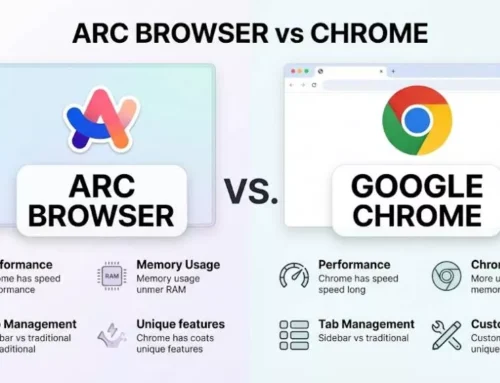
Firefox and Chrome are not your only choices. If you want a browser that rethinks tabs and workspaces, read our Arc Browser vs Chrome comparison. Arc is better for people who want their browser to feel like a workspace instead of a row of tabs.
If your main concern is whether newer browsers can challenge Chrome’s dominance, our Avocado Browser guide is also worth reading. New browsers are trying to win users through cleaner design, lower clutter, and different browsing philosophies.
But if the choice is only Firefox vs Chrome, the split is simple: Chrome is the mainstream powerhouse. Firefox is the independent privacy browser.
Should You Switch from Chrome to Firefox?
Switch from Chrome to Firefox if Chrome has started to feel too connected, too noisy, or too dependent on Google. Firefox is especially worth trying if you care about privacy, ad blocking, customization, and keeping the open web healthy.
Do not switch if Chrome is working perfectly for you. If your work, school, phone, passwords, extensions, and daily apps all depend on Chrome, changing browsers may create friction without giving you enough benefit.
The best approach is simple: keep Chrome installed and test Firefox for one week. Use Firefox for research, reading, social media, shopping, and general browsing. Keep Chrome for banking, work dashboards, school portals, and anything mission-critical. After a few days, you will know which browser feels better.
How to Move from Chrome to Firefox
- Install Firefox first. Do not remove Chrome yet.
- Import bookmarks, passwords, and history. Firefox makes this easy during setup.
- Add only essential extensions. Too many extensions can slow any browser.
- Set up privacy preferences. Standard protection is fine for most people; Strict mode is better for privacy but may break some sites.
- Test your daily websites. Check banking, work tools, school portals, streaming, and shopping sites.
- Use Firefox for one week. Do not judge it after ten minutes of broken muscle memory.
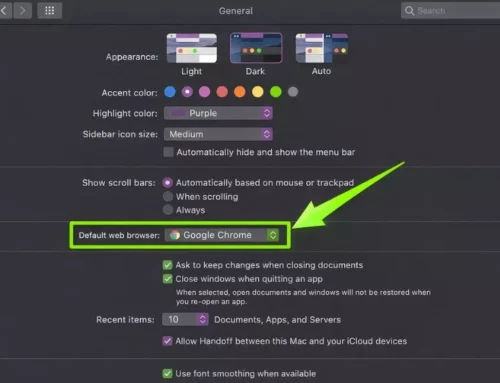
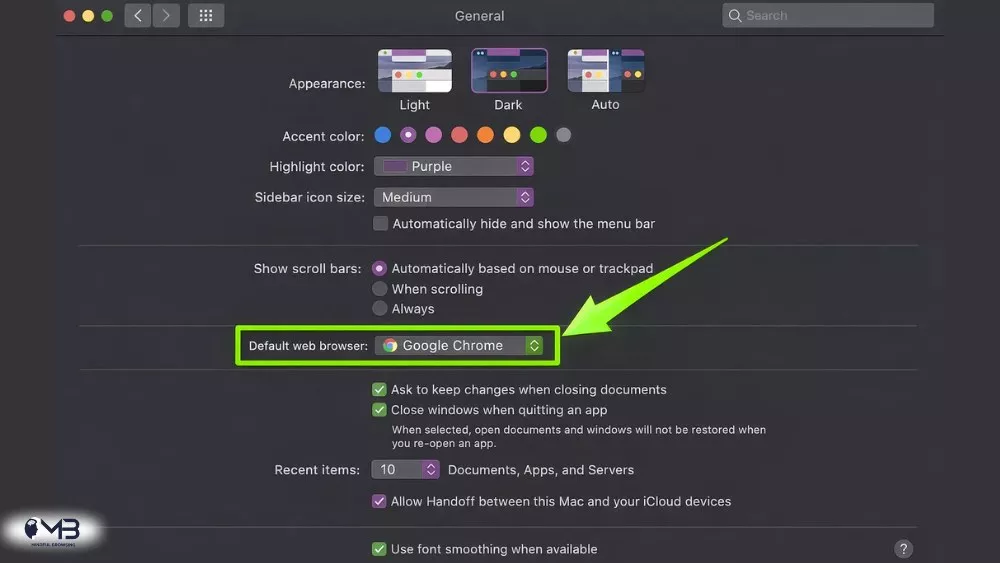
- Change your default browser only after testing. If you are on Mac, our guide on changing the default browser on Mac can help.
Final Verdict: Firefox vs Chrome
Chrome is still the best browser for most people. It is fast, familiar, secure, widely supported, and deeply connected to the Google ecosystem. If you want the browser with the least friction, Chrome is the safer answer.
Firefox is the better browser for people who care about privacy, customization, ad blocking, and independence. It may not be as dominant as Chrome, but it still matters because it gives users a real alternative to a web shaped mostly by Chromium.
So the final answer is simple:
- Use Chrome if you want speed, Google sync, Gemini features, extension compatibility, and the easiest everyday experience.
- Use Firefox if you want stronger privacy defaults, better customization, stronger ad-blocking flexibility, and a browser that feels less tied to Google.
For convenience, Chrome wins. For control, Firefox wins. For mindful browsing, Firefox may be the more thoughtful choice, but Chrome remains the easier default for the average user.
FAQs About Firefox vs Chrome
Firefox is better than Chrome for privacy, customization, and full-power ad blocking. Chrome is better for Google sync, website compatibility, extensions, and built-in AI features.
Yes, Firefox is generally more private by default because it includes stronger tracking protection and separates cookies by site. Chrome has privacy controls, but it is more connected to Google’s advertising and account ecosystem.
Chrome is often faster in benchmarks and Google-heavy web apps, but Firefox is fast enough for normal browsing. Most users will notice a bigger difference in tab management, extensions, privacy, and device sync than raw page speed.
Firefox can feel lighter during long browsing sessions with many tabs, but results vary by device, extensions, and websites. Chrome also has Memory Saver and Energy Saver features to reduce resource use.
Chrome is easier on Android because it is deeply integrated with Google services. Firefox is better if you want a more private mobile browser and are willing to give up some Google ecosystem convenience.
About the Author: Mujahid Khan Jatera