For most of us, picking a browser isn’t a conscious choice. We tend to stick with what’s already on our device, what we’re used to, or what someone told us to try. But that everyday decision places you right in the middle of a real, though often overlooked, contest over how you see the web. In one corner sits Google’s Chrome, the dominant giant. In the other is Apple’s Safari, the built-in favorite. So which one is genuinely better for you? It’s time to look past the defaults and compare what they actually deliver.
Google Chrome
It’s no surprise that Chrome is everywhere you look. Recent data from StatCounter shows that as of 2025-26, it commands a remarkable 71.37% of the global browser market. Chrome earned its place by delivering exactly what people wanted: a fast, clean experience and access to thousands of helpful extensions.
From a user’s point of view, Chrome is like a universal tool. Whether you’re on a Windows PC, Mac, Android phone, or a Chromebook, the experience is seamless. Your bookmarks, history, passwords, and open tabs sync effortlessly; additionally, users can enhance their privacy and protect themselves from hackers by setting up a VPN (Google has its own Wifi VPN as well).
This cross-platform harmony is its superpower. The Chrome Web Store is another major draw, offering over 200,000 extensions and themes. Need advanced SEO tools, a grammar checker, or a way to block every conceivable type of ad or any unwanted website? There’s an extension for that.
However, this power comes at a cost. Chrome has long been criticized as a memory hog. It’s notorious for consuming significant system resources, which can slow down your entire system, especially if you’re the type to have dozens of tabs open (we’ve all been there). This ties into privacy concerns. As a product from Google, an advertising company, Chrome is designed to integrate with Google’s services and its data-collection ecosystem. It offers various features like tracking protection, and its fundamental business model aligns with understanding user behavior.
What’s New in 2026?
- Gemini Integration: Google integrated Gemini AI directly into a permanent side panel. This allows Gemini to remember context across open tabs to provide tailored responses.
- Agentic Browsing: “Auto Browse” is an AI agent that can complete complex, multi-step tasks. Examples include booking travel or managing your calendar.
- One-Click Security: Chrome uses AI to detect compromised passwords. It can change them automatically on supported sites with a single click.
- Energy Efficiency: Chrome has significantly closed the gap in energy efficiency. Recent benchmarks on macOS Tahoe show Chrome leading in low energy impact during standard browsing sessions.
Apple Safari
Safari plays a different game. With a roughly 17% global share, its strength is concentrated almost entirely within the Apple ecosystem. On a Mac, iPhone, or iPad, Safari isn’t just an app; it’s a deeply integrated part of the operating system.
This integration is where Safari shines. Apple has relentlessly focused on performance and efficiency. Benchmarks like Speedometer 3.0 consistently show Safari running neck-and-neck with, and often beating, Chrome on Apple’s own hardware, all while using significantly less battery life and RAM. If you’ve ever felt your laptop fan spin up while using Chrome, switching to Safari can feel like a quiet revelation.
Privacy is Safari’s flagship feature. Intelligent Tracking Prevention (ITP), introduced years ago, was an industry-shaking move that actively blocks cross-site trackers by default. Safari also offers robust password monitoring, Privacy Reports that show who’s tracking you, and features like Hide My Email. For Apple, privacy is a selling point, not a conflict with its revenue model.
The trade-off? The extension library, while growing, is far more curated and limited than Chrome’s. And if you ever need to step outside the Apple garden—onto a Windows PC or an Android device—the Safari experience simply doesn’t exist.
Also Read: How to Refresh your Browser if it is not Working?
What’s New in 2026?
- Graphics and Speed: Safari leads in graphics performance. It beats Chrome by nearly 25% in rendering animations and web-based games.
- Apple Intelligence: Safari offers an “Accessibility Reader.” It uses on-device AI to summarize text and make it easier to read for various accessibility needs.
- Privacy-First AI: Safari focuses on on-device machine learning to power its “Privacy Reports” and tracking prevention. This ensures data never leaves your device.
- Seamless Continuity: “Liquid Glass” design and improved “Live Activities” allow you to move browsing sessions between your iPhone, Mac, and Apple Vision Pro.
Chrome vs Safari: Comparison Table
| Feature | Google Chrome | Apple Safari |
| Core Strength | Universality and Customization | Optimization and Privacy |
| Market Share | ~71.3% (Global) | ~16.46% (Global) |
| Performance | Very Fast, but RAM Heavy | Blazing Fast and Extremely Efficient on Apple Silicon |
| Ecosystem | Excellent cross-platform (Win, Mac, Android, Linux) | Exclusive to Apple devices (Mac, iPhone, iPad) |
| Extension Library | Massive (Chrome Web Store) | Smaller, but high-quality and curated |
| Privacy Stance | Built-in protections, but tied to Google’s data ecosystem | Aggressive anti-tracking by default (ITP), a core selling point. |
| Syncs With | Your Google Account | Your iCloud Account |
| AI Integration | Google Gemini (Cloud) | Apple Intelligence (On-Device) |
So, Which One Should You Choose?
The answer, frustratingly, is “it depends.” But let’s humanize that decision.
You might be a Chrome person if: Your life is multi-platform. You use a Windows laptop at work, an Android phone, and a Mac at home. You rely on specific, powerful browser extensions for work or hobbies. You live deep inside the Google universe (Gmail, Docs, Drive) and value that seamless integration. You simply don’t mind the resource usage because your machine can handle it.
You might be a Safari person if: You are all-in on Apple. You own a MacBook, an iPhone, and maybe an iPad. You cherish your battery life and want your computer to run cool and quiet. You make privacy a primary concern in your digital life. You appreciate clean, native software that works without fuss and doesn’t need a sprawling extension library.
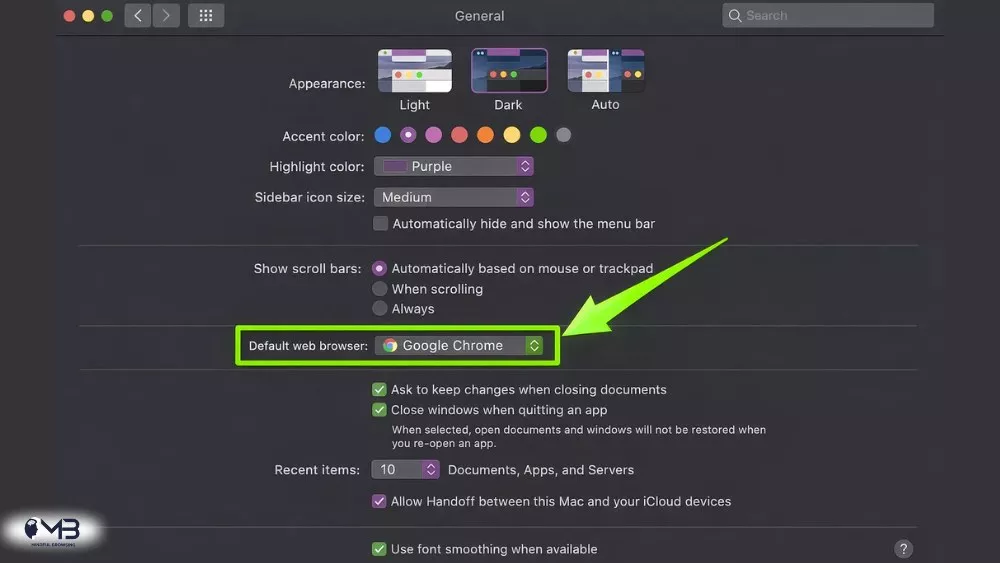
Also Read: How to Change your Browser from Safari to Chrome on your Mac?
Final Click
There’s no “best” browser, only the best browser for you. Chrome is the versatile, powerful, everywhere tool—the Swiss Army knife. Safari is the precision, optimized, integrated experience—the custom-made chef’s knife that feels just right in your hand.
Perhaps the real takeaway is that competition is healthy. Chrome’s dominance pushed Safari to innovate in performance and privacy, and Safari’s privacy moves have forced Chrome and others to respond. In the end, we, the users, get better, faster, and more private options because of this rivalry. So take a moment, think about how you actually use the web, which one provides you with safer browsing and make your choice. Either way, the open web awaits.
Also Read:
- How Avocado Browser Works?
- What to do if your Chromecast is not working?
- Firefox VS Chrome? Which is better?
About the Author: Shanzaib Haider