As a digital geek, I’ve seen the internet evolving from a curious innovation to a ground for hackers’ lurk around every corner. I still remember the first time a friend called me in a panic after a hacker cleared out their online account, all because they connected to a suspecious café Wi-Fi without protection. That moment drove home a truth I’ve carried ever since: online security isn’t just a luxury; it’s a necessity. One tool often touted as a shield is the Virtual Private Network (VPN). But to what extent can a VPN actually protect you from hackers?
Let’s dive into how VPNs work, what nasty online stuff they can block, where they fall short, and the extra steps I’ve picked up to help keep you safe online.
Ever Wonder how does a VPN protects you?
A VPN creates an encrypted channel for your data transmissions. Your data stays out of sight from sneaky eyes. We have listed down the ways it helps! However, if you are keen to adopt the simple yet impactful digital habits, you can reveiw our guide on healthy digital habits.
1. Strong Encryption
Data turns to a secret code with strong encryption. Connect to a VPN and boom—your stuff scrambles so only the right key unlocks it. Hackers grabbing your info at, say, an airport Wi-Fi? They get nonsense. My pick: VPNs with AES-256, super strong, used by big shots like the military. It’s your info in a steel box! If you’re new to this field, there are books about cybersecurity and even cybersecurity memes online that make learning about encryption and online safety both fun and engaging.
2. IP Address Masking
Ever think your IP address shows where you’re at? It’s your online ID! Hackers love it for attacks. VPNs switch it to their server’s IP. Poof—you’re invisible! No IP, no target for stuff like DDoS, where bad guys flood your system to crash it. Clients of mine chill, knowing they’re off the radar. For extra control, you can also block websites that seem risky or distracting, pairing this with a VPN to enhance your security and focus. This approach helps you maximize productive time online, ensuring you browse safely and efficiently without distractions.
3. Safe Protocols: Your Secure Road
VPNs rely on protocols—rules for how data travels. Opt for ones like OpenVPN or WireGuard, known for blending top-notch security with speedy performance. Some providers even tweak these, creating ultra-fast, secure options. These protocols build a fortified bridge between your device and the internet, keeping hackers at bay.
4. Kill Switch: Instant Safety Net
A kill switch is a lifesaver. If your VPN connection drops unexpectedly—maybe due to a shaky network—it cuts your internet entirely, preventing data leaks. I’ve had moments where a dropped connection could’ve exposed my activity, but a kill switch kicked in like an automatic door lock, keeping me safe.
5. No-Logs Rule: Zero Tracks
A VPN with a no-logs policy doesn’t track or store your browsing history. If a hacker breaches the VPN provider, there’s no trail of your activity to steal. I always check a VPN’s privacy policy for this—it’s a non-negotiable for me, ensuring my online moves stay private. To get into cybersecurity, you must understand privacy policies first.
6. Ad Blockers: Bonus Shield
Some VPNs go beyond, offering ad blockers to stop malicious ads, pop-ups, and trackers. These can lead to compromised sites or malware. I’ve dodged a few sketchy ads myself, and this feature feels like having a bouncer for my browser, keeping the bad stuff out.
Hack a VPN Fights Off
Not a perfect fix, but VPNs stop plenty! Here’s what it handles:
- Man-in-the-Middle Traps: Sneaky hackers jump between you and sites to spy or mess with data. Encryption blocks that—they can’t crack the code!
- DDoS Blasts: Hiding your IP stops attackers from flooding you to knock your system down.
- Fake Wi-Fi Spots: Bad guys make fake Wi-Fi at cafes. VPNs lock your data before it goes, safe even on tricks!
- Remote Attacks: No IP? Hackers can’t find your device from far off.
- Session Snatches: Your login gets coded by a VPN—hard for hackers to steal it.
- Footprint Spills: Cookies, history—your trail shrinks with a VPN’s mask and coding.
Limits of a VPN: What It Can’t Do
I’ve learned through experience that VPNs aren’t a cure-all. Here’s where they fall short:
- Malware: If you click a bad link or ad, malware can slip onto your device. A VPN encrypts traffic but doesn’t scan for viruses.
- Phishing: Hackers trick you into sharing info via fake emails or sites. A VPN can’t stop you from falling for it—I’ve seen even savvy friends get duped.
- Human Error: Weak passwords or disabling your VPN leave you exposed. I once forgot to turn mine on and cringed at the risk.
- Insider Threats: A VPN won’t stop a rogue employee or family member with access from causing harm.
- Physical Theft: If your device is stolen, a VPN can’t lock down data already on it.
Beyond the VPN: My Go-To Protections
A VPN is a strong start, but I pair it with these to stay ahead of hackers:
- Two-Factor Authentication (2FA): Add a second check— like a code to your phone—for extra account security.
- Password Managers: I use one to create and store unique, complex passwords. It’s a game-changer.
- Software Updates: Patches fix flaws hackers exploit. I set my devices to update automatically.
- Antivirus Software: This scans and blocks malware—essential for any device.
- Phishing Awareness: I’ve trained myself to spot odd emails—poor grammar, urgent pleas—and never click suspicious links.
- Secure Your Router: I’ve set up a VPN on my router for network-wide protection and use WPA3 encryption. For home networks, a Google WiFi VPN setup simplifies this protection across all your devices.
- Browser Choice: Don’t stick with a browser just because it came pre-installed. If you find your current one lacks privacy features, it’s easy to change browser on Mac or Windows to something more security-oriented like Brave or Firefox.
- Back Up Data: Regular backups to cloud and external drives save me from ransomware panic. I advise folks serious about protection to enroll in one of the top cybersecurity schools to gain expert skills and stay ahead of threats.
Is a VPN Enough?
In my years fighting cyber threats, I’ve learned a VPN is a powerful tool—encrypting data, hiding your IP—but not a solo fix. It shields your traffic, but hackers evolve, targeting devices, tricking users, or exploiting mistakes. Combine a VPN with 2FA, strong passwords, updates, and vigilance. Choose a VPN with AES-256 encryption, secure protocols, a kill switch, and a no-logs policy. Test it for speed and ease— I’ve tried ones that fit phones, laptops, everything. Get a VPN today to start building that critical layer of defense. Stay proactive, and you’ll keep hackers in the dark. That friend I helped? They’re now a VPN believer, and I hope you are too.
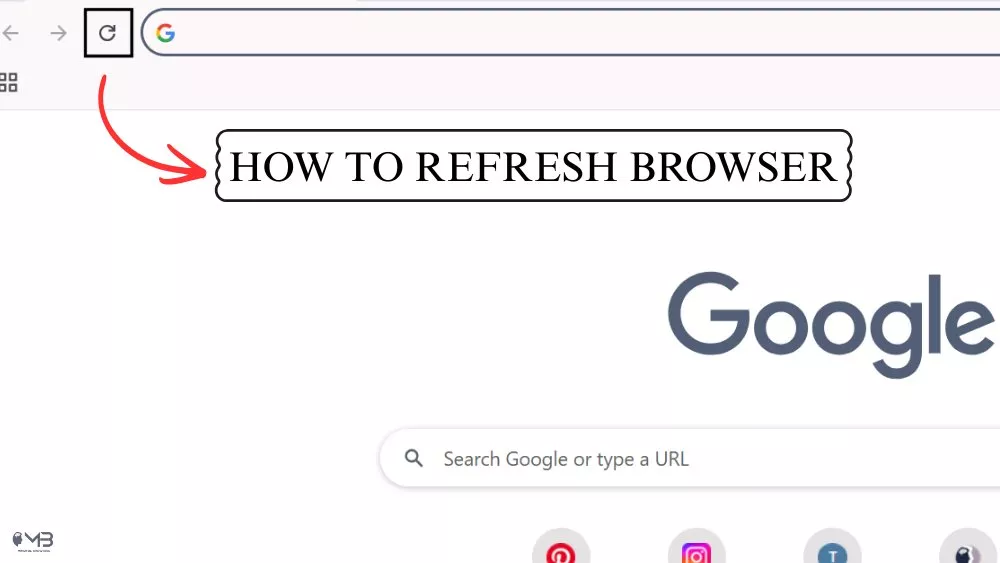
Also Read: How to Refresh Your Browser?
About the Author: Shanzaib Haider